
When you move the cursor over the Spanish translation, the English equivalent (a word or a phrase) is also highlighted in blue.
This doesn't always work in the same way: compare the two fragments highlighted in blue in both texts:
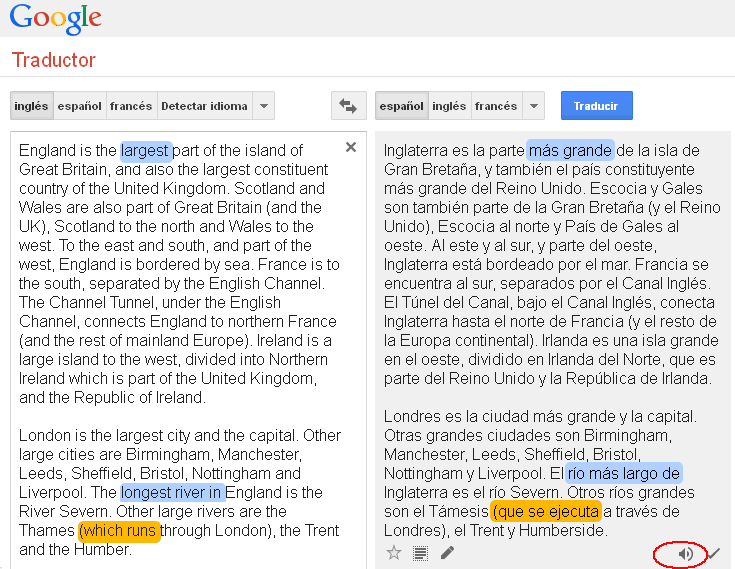
Remember that Google translator makes lots of mistakes: look at the highlighted words in orange:
when a river "runs" through a city, we say "el río que pasa por Londres",
but when a program "runs", it works (in Spanish, "un programa se ejecuta").
You can also copy and paste a text in Spanish and translate it into English,
and then click on the loudspeaker icon (in the red circle) to listen to the English translation;
it is a computer-generated voice, so the intonation is not natural, but the pronunciation is not bad.
You can use this for a dictation.
JJCC