|
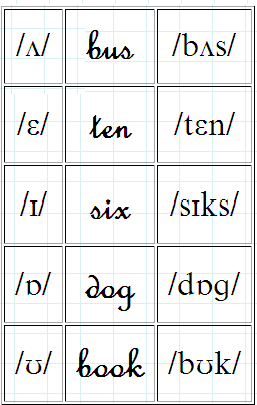
N.B.: Compare the phonetics charts below before you begin.
If the examples look very different (especially for Linux users), you may want to download another font, too: FRSCRIPT.TTF (to install a font in Linux, double-click on it and select the INSTALL button). If you still can't see the fonts correctly and you are using Firefox, try deactivating the protection option that prevents hostile websites from fingerprinting your computer by checking to see which fonts you have installed: 1. Go to about:config 2. Change the settings of privacy.fingerprintingProtection.overrides to -FontVisibilityBaseSystem,-FontVisibilityLangPack Optimised for 1280x800 |