 nbsp; code to leave a blank space.
| This is the default type. | |
| <b> | This code means "bold". |
| <i> | This code means "italics". |
| <u> | This code means "underline". |
| </b></i></u> | These codes finish the text attributes. |
| <font face="Arial"> | This code starts a new font - Arial. |
| </font> | This code ends the new font type. |
| <font color="#FF0000"> | This code starts a red font. |
| </font> | This code ends new new font colour. |
| <font size="7"> | This code uses the biggest font size (7). |
| <font size="1"> | This code uses the smallest font size (1). |
|
<font style="background: #FFFF00; font-family: Comic Sans MS; font-size:15"> | This code establishes the background colour, font and font size (in pixels). |
| </font> | This code finishes using the special style and uses the default font. |
nbsp; code to leave a blank space.
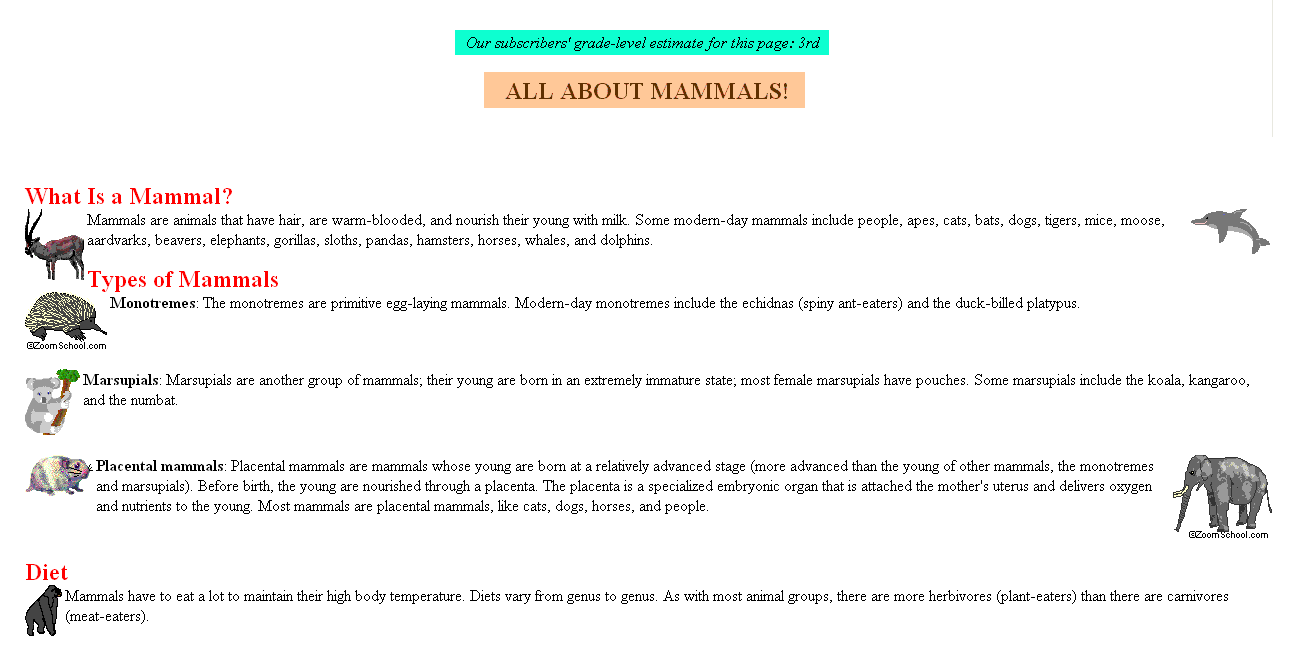 Download the image on the right (mammals.gif) to your computer (right-click on it and select "save image"). Your task is to write a webpage as similar as possible to this screenshot.
JJCC