(Chat meetings will be advertised in this space)
These are the instructions to enter our chat room:
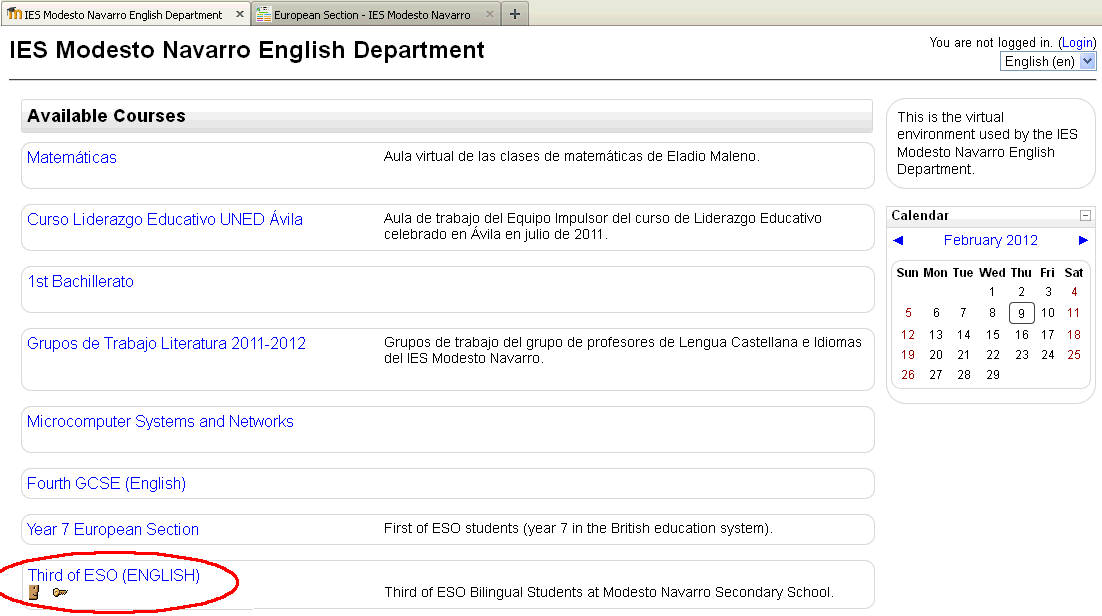
Go to our website:
http://www.aicle-clil.com/moodle/
.
Choose your course:
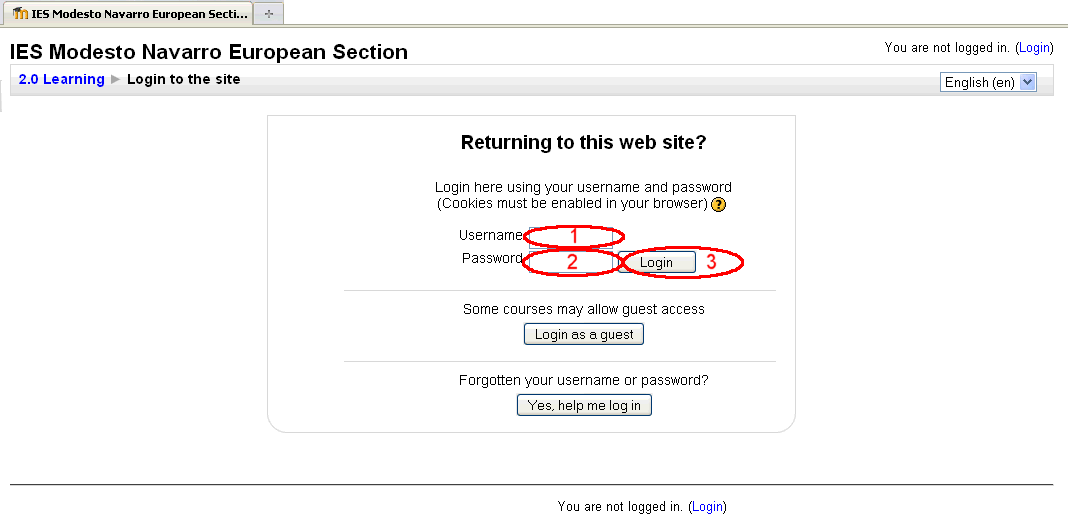
Enter your user's name and password, and click on the login button:
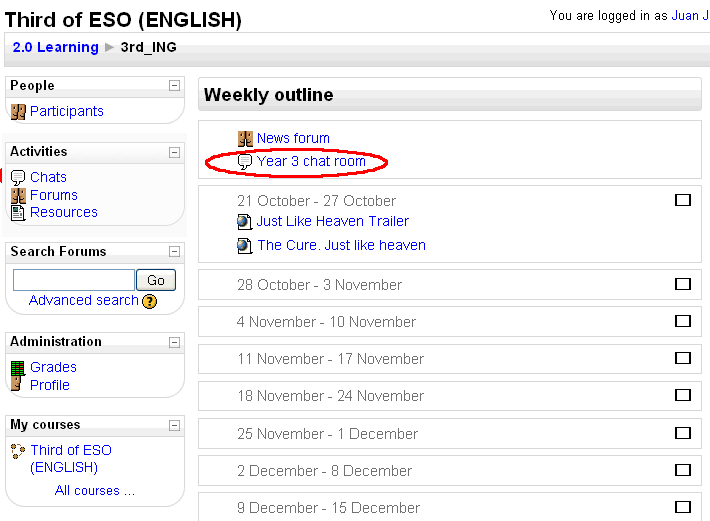
Select the chat room:
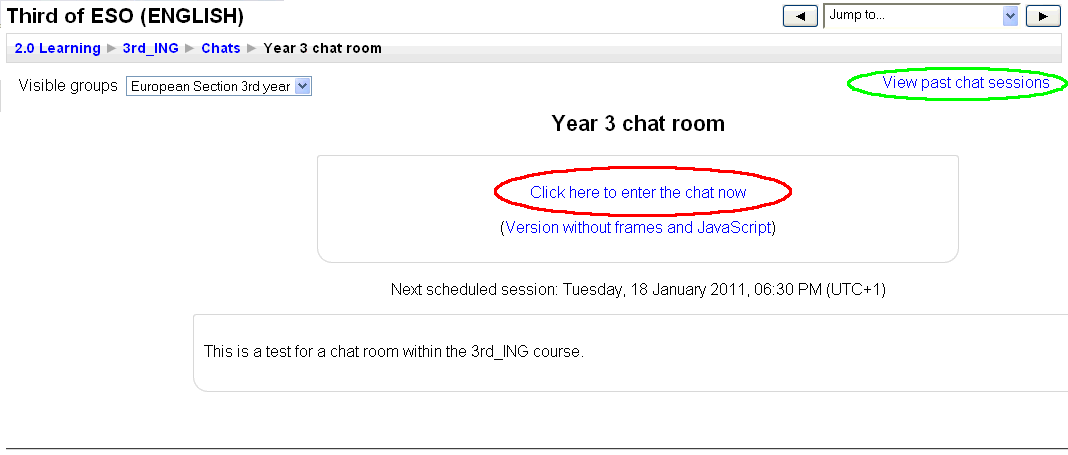
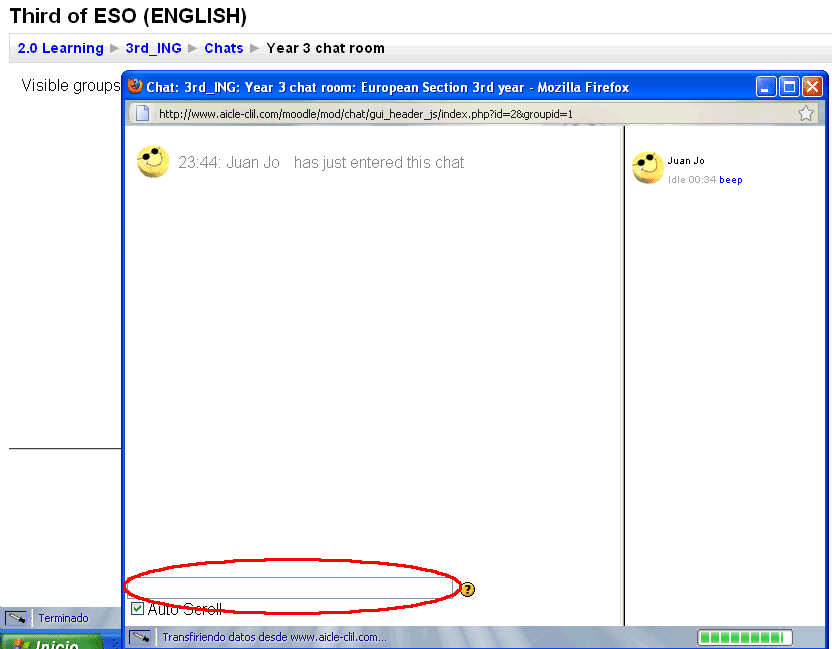
Enter the chat room (you can also read past conversations in the chat room):
Start chatting: say hello and press ENTER to start chatting.